Accessibility Quiz Results
Score: 0 of 25
0% Correct:
Question 1:
When was version 1.0 of the Web Content Accessibility Guidelines (WCAG) released?
Question 2:
What is Wave?
Question 3:
What is NVDA?
Question 4:
According to World Health Organization, how many people live with a disability?
Question 5:
Audio and video captions will mostly benefit?
Question 6:

At the top of the Lyft website, there is a logo, a search field, three navigation items and a profile icon. Which landmark should be used for this section?
Question 7:

Still at the top, we have three navigation items and a profile icon. Which landmark should be used for this section?
Question 8:

Under the top section is a banner about Covid. It is only visible on the front page of the site.
Which landmark should be used on the banner?
Question 9:
Clicking the logo takes on a web site, takes you to the front page of that site. Should this be a <button> or an <a>?
Question 10:
Clicking the menu icon, the "hamburger", opens a full screen menu overlay.
Should the menu icon be a <button> or a <a>?
Question 11:
You write this code for the button "Sign up to ride":<a href="https://account.lyft.com" class="basebutton">Sign up to ride</a>
Is this code considered accessible?
Question 12:
This is the code for the button that opens the country dropdown, a bit simplified.
<button aria-label="Select phone number country code" aria-expanded="false" aria-controls="core-ui-id-5005823451-popover">
<img src="gb.svg">
<svg width="16" height="16" viewBox="0 0 16 16" style="fill: var(--core-ui-theme-icon-secondary,rgba(12,11,49,0.7));">
<path d="…"></path>
</svg>
</button>Question 13:
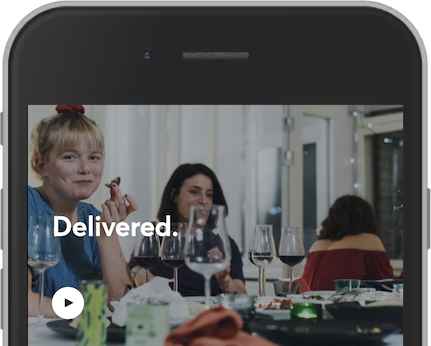
In this example, we see white text on an image background.
How should you measure this contrast?
Question 14:
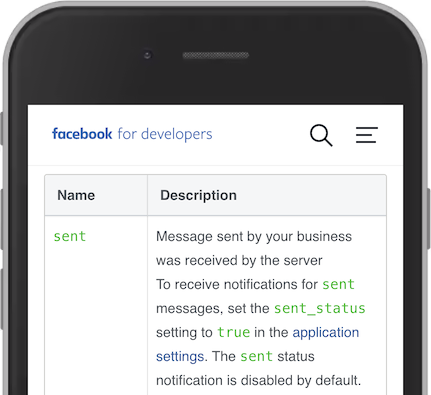
This table shows the status of Facebook messages.
The status "sent" is written in green. Is that accessible?
Question 15:
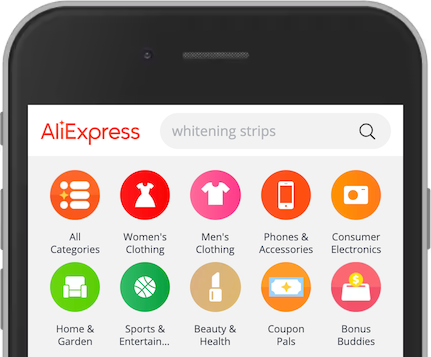
This screenshot shows AliExpress with a logo, a search field and category icons.
Is the logo a meaningful image?
Question 16:
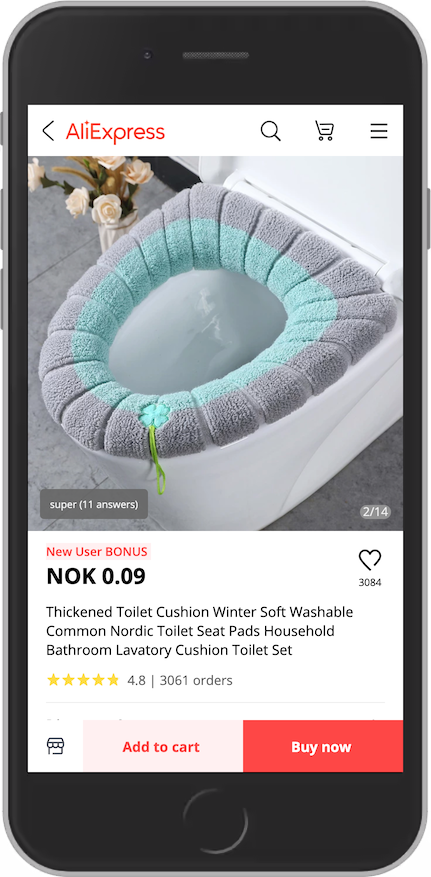
This screenshot from AliExpress shows an icon of a magnifying glass at the top.
What would be the best descriptive text?
Question 17:
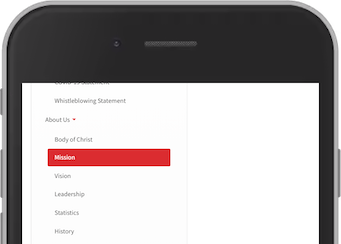
The navigation link "Mission" is showed in a hover state.
(Ignore the fact that hover states are not common on phones)
The background is #dc2c30. What are possible problems with this hover state?
Question 18:
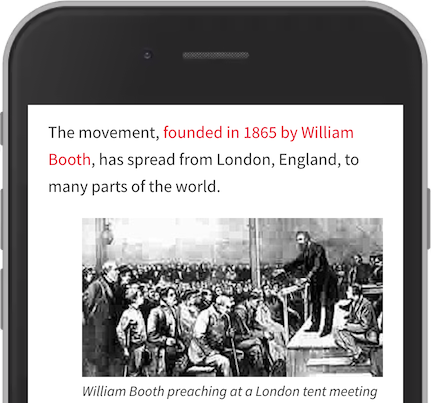
This screenshot is from The Salvation Army. The text "founded in 1865 by William Booth" is a link. This is a good link text because it indicates that the link takes us to the history of the army.
Question 19:
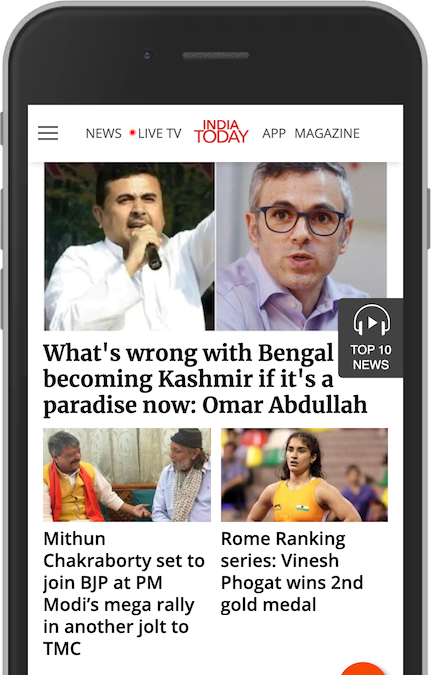
This screenshot from India Today shows three news articles. The structure is:
<h1>News
<h2>What is wrong with...
<h3>Mithun Chakraborty set to join....
<h3>Rome Ranking series: Vinesh Phogat wins 2nd gold medal
Is this a good outline?
Question 20:
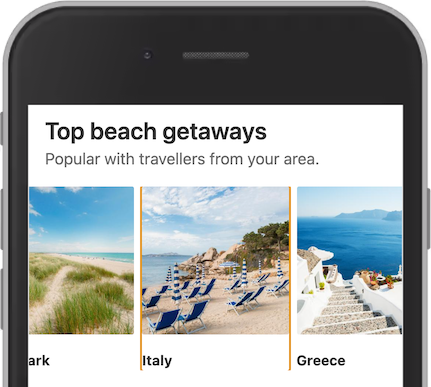
In this example from Booking, the link to Italy is focused. They have relied on the browser default styling. However, the outline is only on the left and right side of the linked section. What might be a reason that there is no outline at the top and bottom?
Question 21:
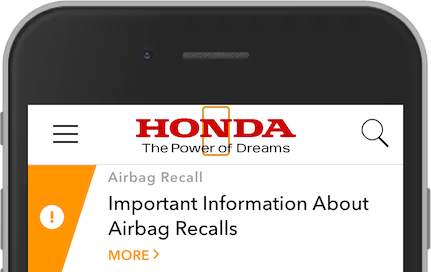
Opening the Honda web site, a screen reader will read the first interactive element as something like:
link, image, aitch tee tee pee ess colon slash slash double-u double-u double-u dot honda dot com slash (link, image, https://www.honda.com/)
Why do we hear this?
Question 22:
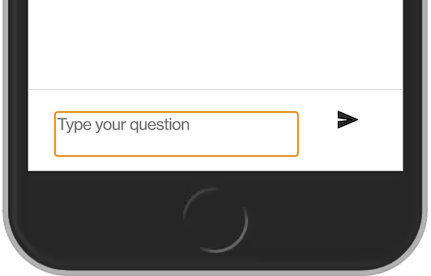
In this example from a chat window, the "Type your question" textarea is coded like this:
<textarea id="textarea" tabindex="0" placeholder="Type your question" aria-invalid="false"></textarea>
Is this textarea accessible?
Question 23:
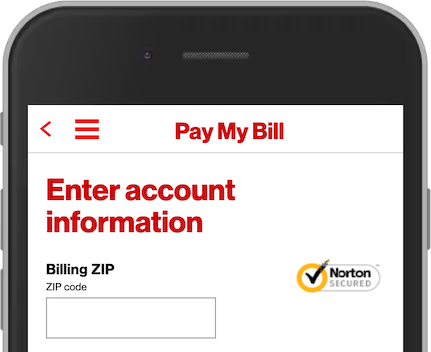
This example has a input field for zip code, with the autocomplete attribute:
<input type="tel" inputmode="numeric" pattern="[0-9]*" id="txtZip" name="sessionVO.zip" autocomplete="off">
Is this a correct way of using autocomplete?
Question 24:
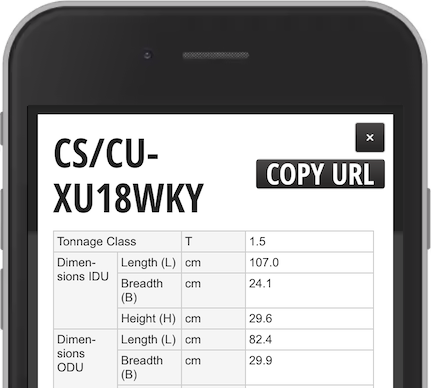
In this example, the user has increased the text size in the browser. However not all text in this product spesification is increased. The heading and the button Copy URL is big, but not the details.
What is the reason that the text in the table is still small?
Question 25:
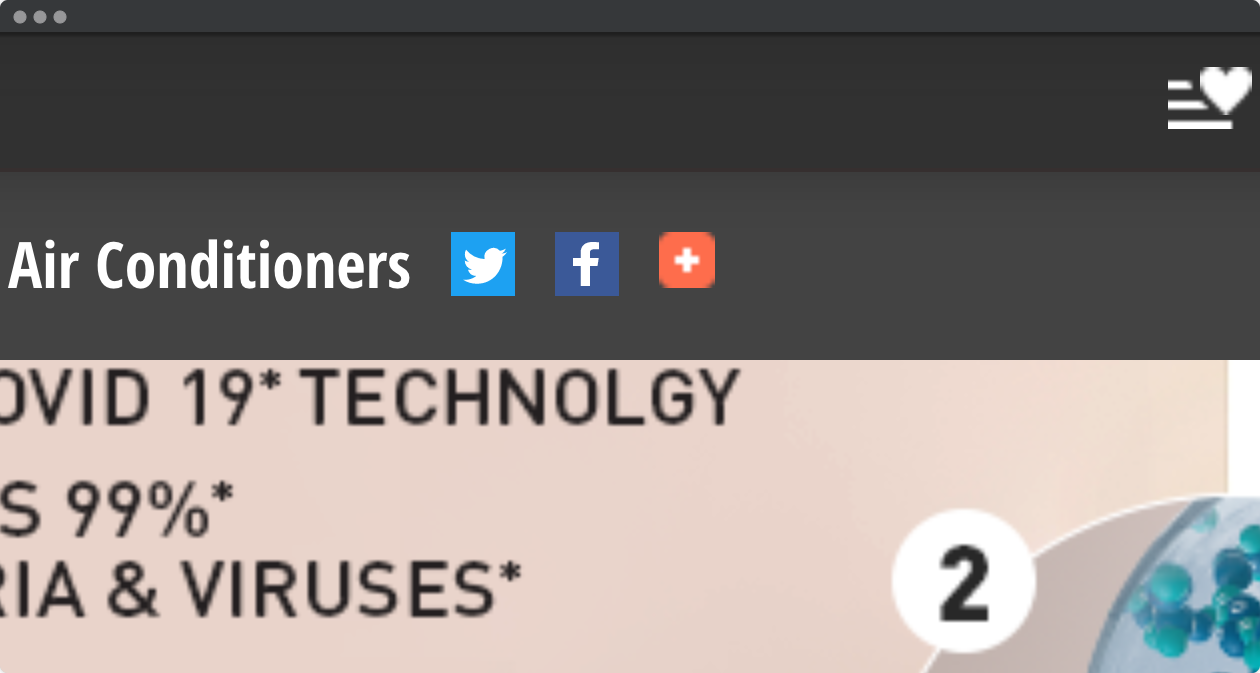
In this example, the user has increased size in the browser. The top of the page have four icons. The Twitter and the Facebook icons are sharp. The share and the favourite icon are pixelated.
<a href="my-favorites.html"><img src="icn-wishlist.png" alt="My Favorites"></a>
What can be improved here?

