
Git Syllabus
Introduction
The W3Schools Git Tutorial is comprehensive and beginner-friendly.
It will give you a fundamental knowledge of Git version control.
It is designed for beginners and requires no prior version control experience.
The content has been carefully made to be bite-sized, simple, and easy to understand.
The content has been proven by millions of users over the years. It is updated and improved frequently.
The syllabus outline and its sequence are structured so you can learn Git step by step, from the introduction to advanced features.
Learning Outcomes
- Understand the basic concepts of version control with Git.
- Create and manage Git repositories.
- Track changes and manage file versions.
- Work with branches and merging.
- Collaborate with other developers.
- Use Git commands effectively.
- Handle conflicts and troubleshooting.
- Work with remote repositories.
Note: Are you a teacher teaching Git? W3Schools Campus (previously Academy) is a toolbox of features that can help you teach. It offers classroom features such as pre-built study plans, classroom administration and much more. Read more about Campus here.
Which Subjects Are Git Relevant For?
- Software Development:
Git is essential for managing code versions and collaboration. - DevOps:
Git is fundamental for continuous integration and deployment. - Project Management:
Git helps track project changes and contributions. - Team Collaboration:
Git enables multiple developers to work together. - Code Review:
Git provides tools for reviewing and discussing code. - Documentation:
Git helps maintain documentation versions. - Open Source:
Git is crucial for open source development.
Activities
In this tutorial we offer different activities for you to learn Git for free:
Sign in to Track Progress
You can also create an account to track your progress.
As a signed-in user, you get access to features such as:
- Learning paths
- Sandbox and lab environments
- Achievements
- And much more!
Overview of the Modules
- Git HOME
- Git Intro
- Git Install
- Git Config
- Git Get Started
- Git New Files
- Git Staging Environment
- Git Commit
- Git Remove and Move
- Git Tagging
- Git Stash
- Git History
- Git Diff
- Git Blame
- Git Help
- Git Branch
- Git Branch Merge
- Git Workflow
- Git Best Practices
- GitHub Get Started
- Git Security SSH
- GitHub Add SSH
- GitHub Set Remote
- GitHub Edit Code
- Pull from GitHub
- Push to GitHub
- GitHub Branch
- Pull Branch from GitHub
- Push Branch to GitHub
- GitHub Flow
- GitHub Pages
- Git GUI Clients
- GitHub Fork
- Git Clone from GitHub
- GitHub Send Pull Request
- Git Revert
- Git Reset
- Git Clean
- Git Amend
- Git Rebase
- Git Reflog
- Git Recovery
- Git .gitignore
- Git .gitattributes
- Git Large File Storage (LFS)
- Git Signing Commits/Tags
- Git Cherrypick & Patch
- Git Bisect
- Git Merge Conflicts
- Git CI/CD
- Git Hooks
- Git Submodules
- Git Worktree
- Git Remote Advanced
Sandbox and Lab Environment
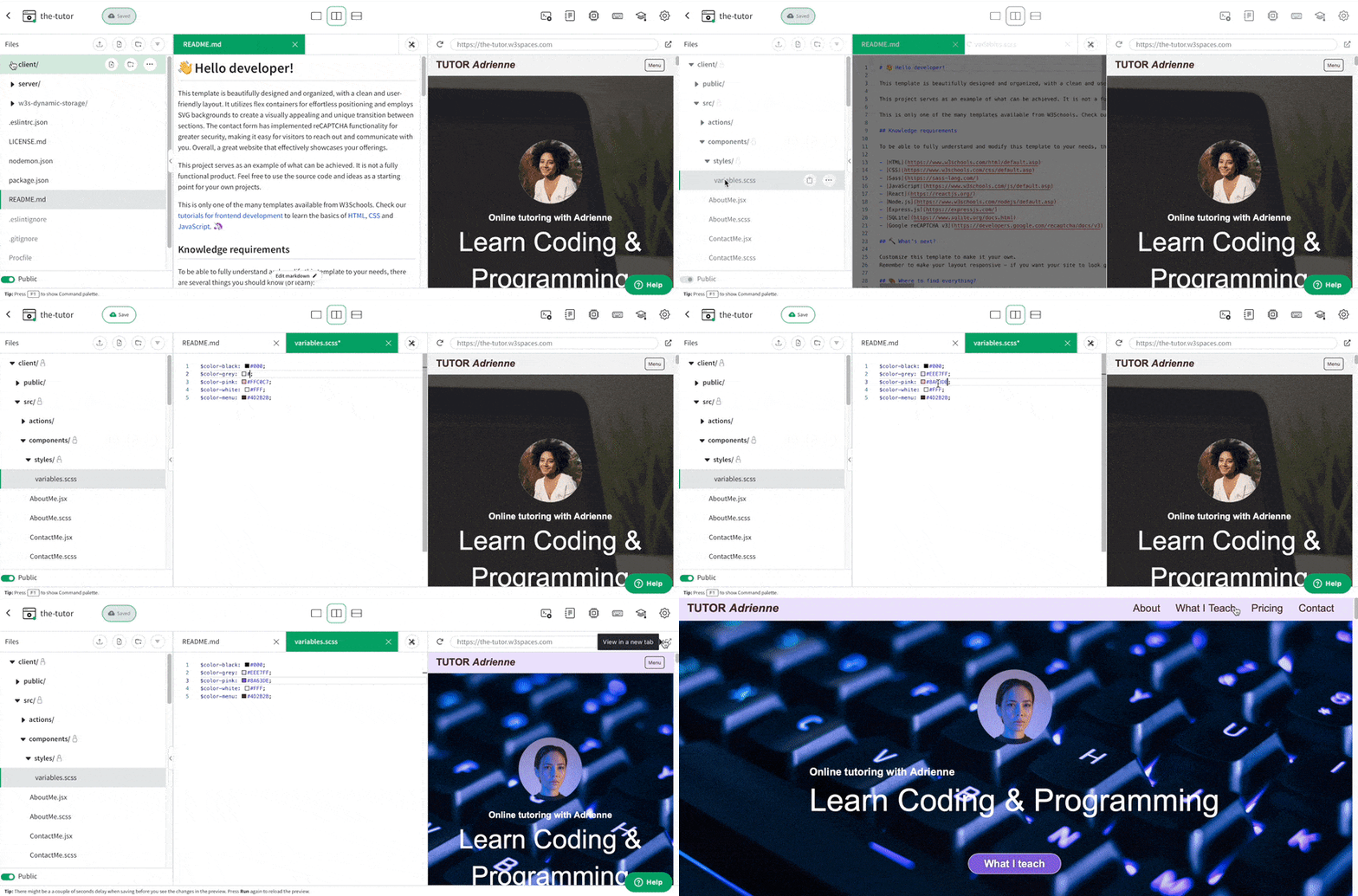
If you want to host your project, we have a feature called Spaces that allows you to practice Git commands and manage repositories.
Here you get a secure sandbox environment called Spaces. It integrates with GitHub, and you can practice Git and test commands in real time.
Spaces allow you to test, commit, and manage repositories. This includes a W3Schools subdomain, hosting, and secure SSL certificates.
Spaces require no installation and run directly in the browser.
Features include:
- Collaboration
- File navigator
- Terminal & log
- Package manager
- Database
- Environment manager
- Analytics
Git Certification
W3Schools offers an end-of-pathway certification program.
Here you can take exams to get certified.
The Git exam is a test that summarizes the W3Schools Git syllabus.
After passing the exam you get the "Certified Git Developer" Certification.
The certification exam is adaptive and graded; students will get a grade from intermediate, advanced to professional.

Are You a Teacher?
Are you interested in learning how you can use W3Schools Campus to teach Git?
Watch a demo of W3Schools Campus. You'll see how it works, and discover how it can make teaching programming easier and more engaging.







