
Python Tkinter
What is Tkinter?
Tkinter is a Python module for making desktop apps with a graphical user interface (GUI).
The GUI is the part of an app that you see and click on: windows, buttons, text fields and check boxes.
Tkinter is part of the Python standard library, so it is included when you install Python.
With Tkinter, you can make apps like this little game:
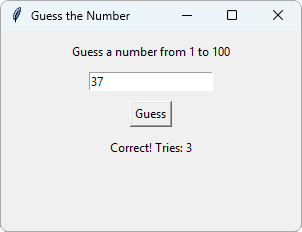
You will build this game in the Tkinter Project chapter.
Your First Window
It only takes three lines of code to make a window:
Example
Create a window:
import tkinter as tk
window = tk.Tk()
window.mainloop()
Result:
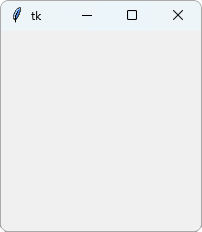
Example Explained
import tkinter as tkimports the tkinter module, with the short nametk.window = tk.Tk()creates the main window of the app, and stores it in a variable namedwindow.window.mainloop()shows the window, and keeps the app running until the window is closed. While it runs, it waits for the user to do something, like click a button.
Put window.mainloop() at the end of your code. Code after it does not run until the window is closed.
Note: In other Tkinter code, you will often see the main window named root. It is just a variable name, and works the same way.
Window Title and Size
Use title() to set the text in the title bar, and geometry() to set the size of the window:
Example
Set the title and size of the window:
import tkinter as tk
window = tk.Tk()
window.title("My App")
window.geometry("300x200")
window.mainloop()
Result:
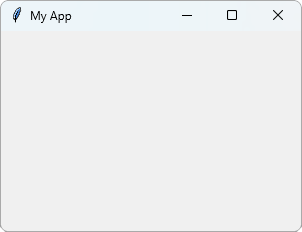
The size is written as a string: the width, an x, and the height, in pixels.
Without a title, the window is called "tk", like in the first example.
Run Tkinter on Your Computer
Tkinter opens windows on your screen, so the examples work best on your own computer:
- Save the code in a file, for example
app.py - Run the file from the command line:
python app.py - The window opens
Note: Do not name your file tkinter.py. Python will then import your own file instead of the tkinter module, and the code will not work.
Our online editor cannot open windows. When you click "Run Example", you will see the code together with a picture of the result.
The pictures show the windows as they look on Windows. On macOS and Linux they look a little different, but they work the same way.
Linux: On some Linux systems, tkinter is not installed by default. On Ubuntu and Debian, you can install it with sudo apt install python3-tk.
Widgets
The things you put in a window, like text, buttons and text fields, are called widgets.
In the next chapters, you will learn how to use the most common widgets, and how to place them in the window.
Tip: You can find a list of Tkinter widgets and methods in our Python tkinter Module Reference.







