Tkinter Checkbutton and Radiobutton
Checkbutton
A Checkbutton is a check box that the user can turn on and off.
To know if the box is checked, connect it to a Tkinter variable:
Example
Create a check box:
import tkinter as tk
window = tk.Tk()
window.geometry("300x200")
agree = tk.BooleanVar()
check = tk.Checkbutton(window,
text="I agree",
variable=agree)
check.pack()
window.mainloop()
Result:
After checking the box:
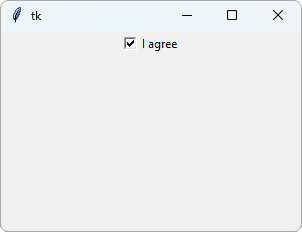
tk.BooleanVar() creates a Tkinter variable that holds True or False.
variable=agree connects it to the check box, so agree is True when the box is checked, and False when it is not.
Read the Check Box
Use get() to read the value of the variable:
Example
Thank the user for agreeing:
import tkinter as tk
window = tk.Tk()
window.geometry("300x200")
agree = tk.BooleanVar()
def show():
if agree.get():
label.config(text="Thank you!")
else:
label.config(text="Please agree")
check = tk.Checkbutton(window,
text="I agree",
variable=agree)
check.pack()
button = tk.Button(window, text="Show",
command=show)
button.pack()
label = tk.Label(window)
label.pack()
window.mainloop()
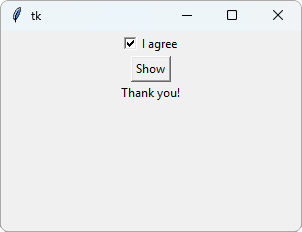
Result:
After checking the box and clicking Show:
Radiobutton
Radio buttons let the user choose one of several options. When one is selected, the others are turned off:
Example
Choose a size:
import tkinter as tk
window = tk.Tk()
window.geometry("300x200")
size = tk.StringVar(value="Medium")
for name in ["Small", "Medium", "Large"]:
rb = tk.Radiobutton(window, text=name,
variable=size,
value=name)
rb.pack(anchor="w", padx=20)
window.mainloop()
Result:
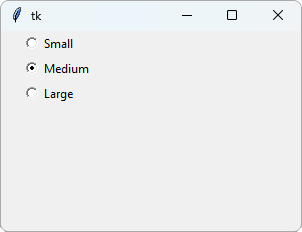
All the radio buttons share one variable, size. Each button has its own value, and the variable gets the value of the selected button.
tk.StringVar(value="Medium") holds a string, and starts as "Medium", so that button is selected from the start.
The for loop creates one radio button for each name in the list.
anchor="w" lines up the buttons on the left side (w is short for west).
Read the Selected Option
Use get() to find out which option is selected:
Example
Show the selected size:
import tkinter as tk
window = tk.Tk()
window.geometry("300x200")
size = tk.StringVar(value="Medium")
def show():
label.config(text=size.get())
for name in ["Small", "Medium", "Large"]:
rb = tk.Radiobutton(window, text=name,
variable=size,
value=name)
rb.pack(anchor="w", padx=20)
button = tk.Button(window, text="Show",
command=show)
button.pack()
label = tk.Label(window)
label.pack()
window.mainloop()
Result:
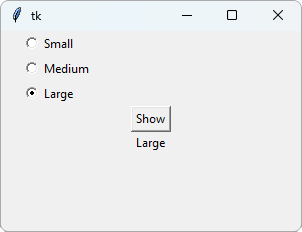
After selecting Large and clicking Show: