
Tkinter Button
Create a Button
A Button is something the user can click:
Example
Create a button:
import tkinter as tk
window = tk.Tk()
window.geometry("300x200")
button = tk.Button(window, text="Click me")
button.pack()
window.mainloop()
Result:
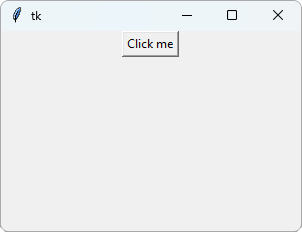
The button does nothing yet. Let's change that.
Do Something on Click
Use command to choose a function that runs when the button is clicked:
Example
Show a message when the button is clicked:
import tkinter as tk
window = tk.Tk()
window.geometry("300x200")
def say_hello():
label.config(text="Hello!")
button = tk.Button(window, text="Click me",
command=say_hello)
button.pack()
label = tk.Label(window)
label.pack()
window.mainloop()
Result:
After clicking the button:
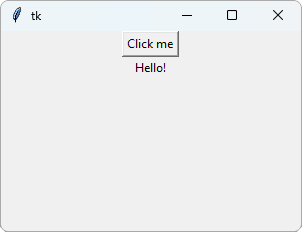
config() changes an option of a widget after it is created. Here, it changes the text of the label.
The function uses label, which is created further down in the code. That works, because the function does not run until the button is clicked, and by then the label exists.
Note: Write command=say_hello, without parentheses. With parentheses, the function runs once when the button is created, and not when it is clicked.
Count the Clicks
This button adds 1 to a number each time it is clicked:
Example
Count the clicks:
import tkinter as tk
window = tk.Tk()
window.geometry("300x200")
count = 0
def add_one():
global count
count += 1
label.config(text=count)
label = tk.Label(window, text=0,
font=("Arial", 24))
label.pack()
button = tk.Button(window, text="Add 1",
command=add_one)
button.pack()
window.mainloop()
Result:
After clicking the button 3 times:
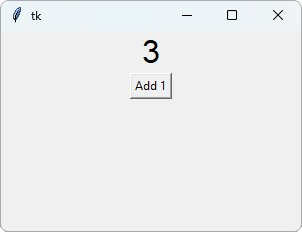
count is a variable outside the function. To change it inside the function, the function must say global count first.
Read more in our Global Variables chapter.
Close the Window
To make a button that closes the app, use window.destroy as the command:
Example
Close the window with a button:
import tkinter as tk
window = tk.Tk()
window.geometry("300x200")
button = tk.Button(window, text="Quit",
command=window.destroy)
button.pack()
window.mainloop()
Result:
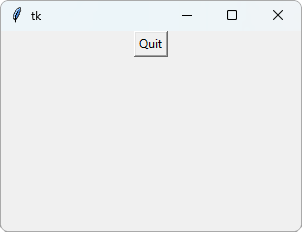
Again, there are no parentheses after destroy. The window closes when the button is clicked.







