
Menu
×
   ❮     
HTML CSS JAVASCRIPT SQL PYTHON JAVA PHP C C++ C# AWS W3.CSS HOW TO BOOTSTRAP REACT MYSQL JQUERY EXCEL XML DJANGO NUMPY PANDAS NODEJS DSA TYPESCRIPT ANGULAR ANGULARJS GIT POSTGRESQL MONGODB ASP AI R GO KOTLIN SWIFT SASS VUE GEN AI SCIPY CYBERSECURITY DATA SCIENCE INTRO TO PROGRAMMING INTRO TO HTML & CSS BASH RUST TOOLS MATH

Python Tutorial

Python HOME Python Intro Python Get Started Python Syntax Python Output Python Comments Python Variables Python Data Types Python Numbers Python Casting Python Strings Python Booleans Python Operators Python Lists Python Tuples Python Sets Python Dictionaries Python If...Else Python Match Python While Loops Python For Loops Python Functions Python Range Python Arrays Python Iterators Python Modules Python Dates Python Math Python JSON Python RegEx Python PIP Python Try...Except Python String Formatting Python None Python User Input Python VirtualEnv

Python Classes

Python OOP Python Classes/Objects Python __init__ Method Python self Parameter Python Class Properties Python Class Methods Python Magic Methods Python Inheritance Python Polymorphism Python Encapsulation Python Inner Classes

File Handling

Python File Handling Python Read Files Python Write/Create Files Python Delete Files

Python Modules

NumPy Tutorial Pandas Tutorial SciPy Tutorial Django Tutorial Playwright Tutorial

Python Turtle

Turtle Intro Turtle Move and Turn Turtle Pen Turtle Position Turtle Colors Turtle Shapes Turtle Fill Turtle Text Turtle Events Turtle Animation Turtle Projects

Python Tkinter

Tkinter Intro Tkinter Label Tkinter Button Tkinter Entry Tkinter Layout Tkinter Events Tkinter Check and Radio Tkinter Messagebox Tkinter Listbox Tkinter Text Tkinter Canvas Tkinter ttk Tkinter Menu Tkinter Timers Tkinter Project Tkinter To-Do List

Python Matplotlib

Matplotlib Intro Matplotlib Get Started Matplotlib Pyplot Matplotlib Plotting Matplotlib Markers Matplotlib Line Matplotlib Labels Matplotlib Grid Matplotlib Subplot Matplotlib Scatter Matplotlib Bars Matplotlib Histograms Matplotlib Pie Charts

Machine Learning

Getting Started Mean Median Mode Standard Deviation Percentile Data Distribution Normal Data Distribution Scatter Plot Linear Regression Polynomial Regression Multiple Regression Scale Train/Test Decision Tree Confusion Matrix Hierarchical Clustering Logistic Regression Grid Search Categorical Data K-means Bootstrap Aggregation Cross Validation AUC - ROC Curve K-nearest neighbors

Python DSA

Python DSA Lists and Arrays Stacks Queues Linked Lists Hash Tables Trees Binary Trees Binary Search Trees AVL Trees Graphs Linear Search Binary Search Bubble Sort Selection Sort Insertion Sort Quick Sort Counting Sort Radix Sort Merge Sort

Python MySQL

MySQL Get Started MySQL Create Database MySQL Create Table MySQL Insert MySQL Select MySQL Where MySQL Order By MySQL Delete MySQL Drop Table MySQL Update MySQL Limit MySQL Join

Python MongoDB

MongoDB Get Started MongoDB Create DB MongoDB Collection MongoDB Insert MongoDB Find MongoDB Query MongoDB Sort MongoDB Delete MongoDB Drop Collection MongoDB Update MongoDB Limit

Python Cert

Python Certificate

Python How To

Remove List Duplicates Reverse a String Add Two Numbers

Python Examples

Python Examples Python Videos Python Compiler Python Exercises Python Quiz Python Challenges Python Practice Problems Python Server Python Syllabus Python Study Plan Python Interview Q&A Python Training

Python Reference

Python Overview Python Built-in Functions Python String Methods Python List Methods Python Dictionary Methods Python Tuple Methods Python Set Methods Python File Methods Python Keywords Python Exceptions Python Glossary

Module Reference

Built-in Modules Random Module Requests Module Statistics Module Math Module cMath Module

Turtle Shapes


Share

Draw a Square With a Loop

In the Turtle Move and Turn chapter, you drew a square by writing forward() and left() four times each.

A for loop can repeat the two lines for you:

Example

Draw a square with a for loop:

import turtle

t = turtle.Turtle()
for i in range(4):
  t.forward(100)
  t.left(90)

turtle.done()

Result:
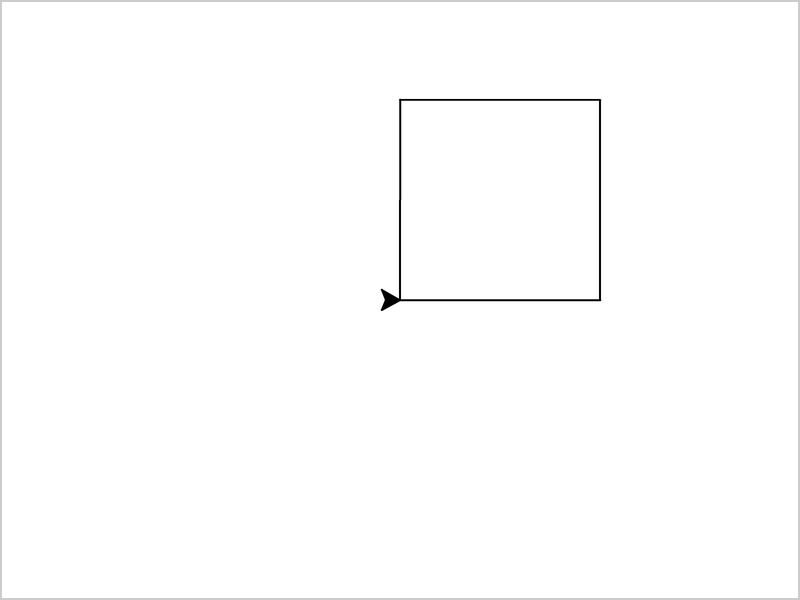
A square drawn with a for loop

Run Example »

The loop runs 4 times. Each time, the turtle draws one side and turns at the corner.


Draw a Triangle

A triangle has three sides, so the loop runs 3 times:

Example

Draw a triangle:

import turtle

t = turtle.Turtle()
for i in range(3):
  t.forward(100)
  t.left(120)

turtle.done()

Result:
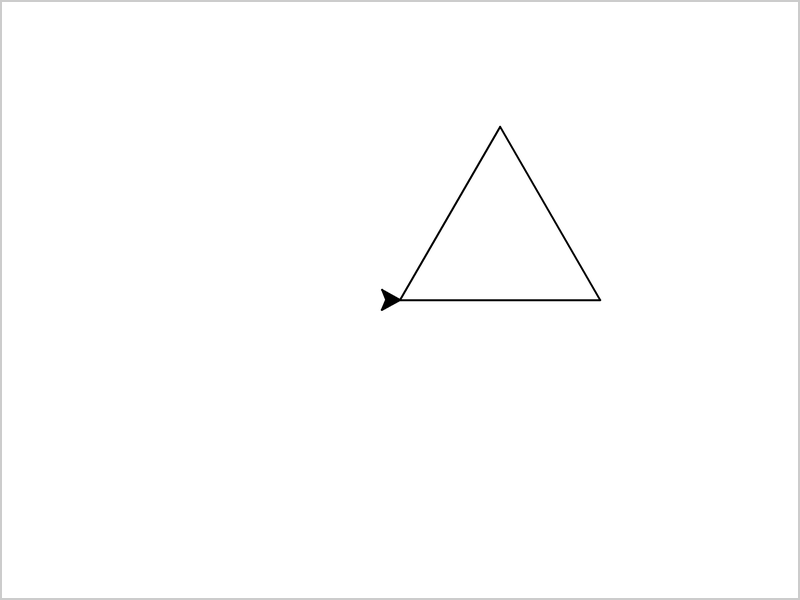
A triangle with three equal sides

Run Example »

Why does the turtle turn 120 degrees? To get back to where it started, the turtle must make one full turn in total, which is 360 degrees. With 3 corners, each turn is 360 / 3 = 120 degrees.


Any Shape With Equal Sides

The same rule works for any shape with equal sides. At each corner, the turtle turns 360 divided by the number of sides:

Example

Draw a shape with 5 sides:

import turtle

t = turtle.Turtle()
sides = 5

for i in range(sides):
  t.forward(80)
  t.left(360 / sides)

turtle.done()

Result:
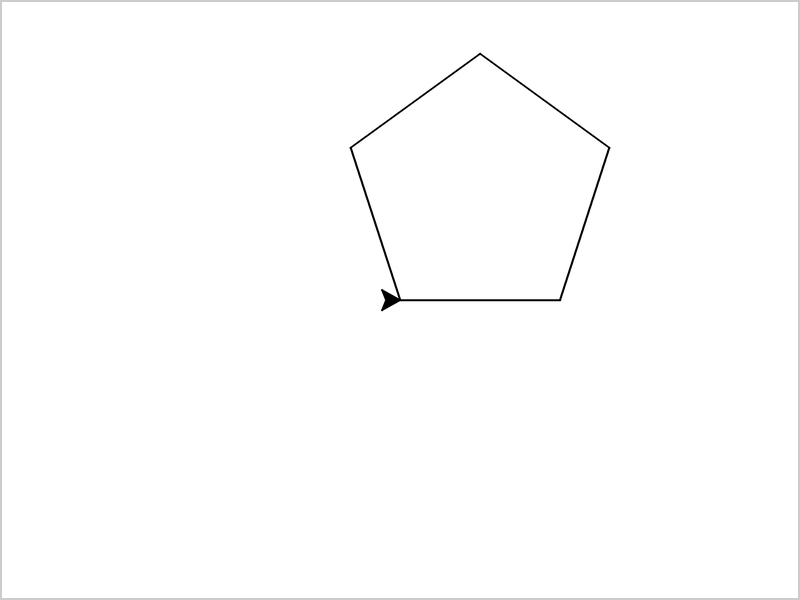
A pentagon, a shape with five equal sides

Run Example »

Change sides to 8, and the turtle draws a shape with 8 sides.


Shapes With a Function

Put the loop inside a function, and you can draw a shape with one line of code:

Example

Draw three shapes with a function:

import turtle

t = turtle.Turtle()

def polygon(sides, size):
  for i in range(sides):
    t.forward(size)
    t.left(360 / sides)

polygon(3, 80)
polygon(4, 80)
polygon(5, 80)

turtle.done()

Result:
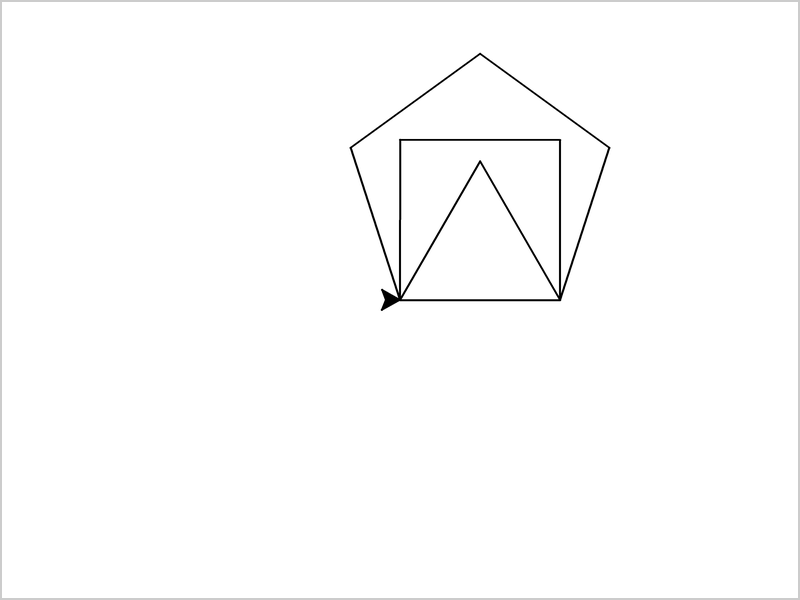
A triangle, a square and a pentagon drawn on top of each other, sharing the same bottom side

Run Example »

All three shapes start at the same position, so they share the same bottom side.


Draw a Circle

Use circle() to draw a circle. The number is the radius, in pixels:

Example

Draw a circle with a radius of 50:

import turtle

t = turtle.Turtle()
t.circle(50)

turtle.done()

Result:
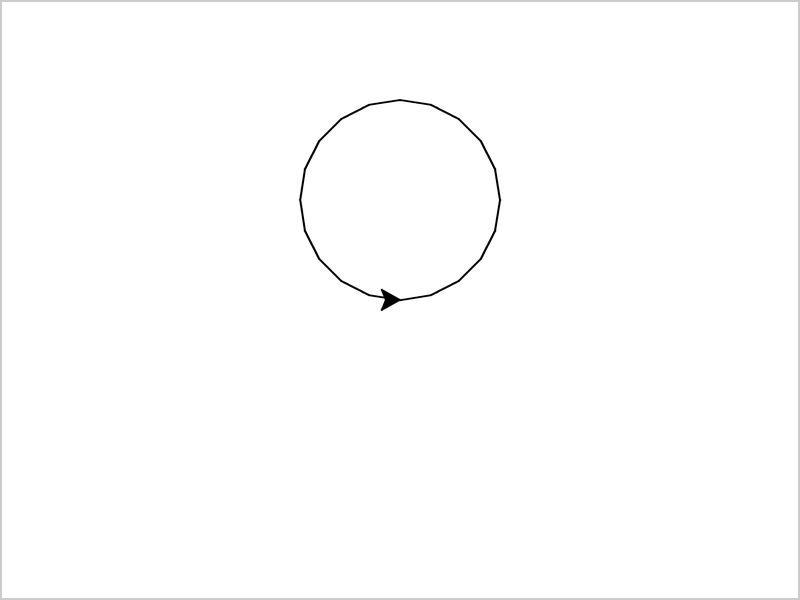
A circle above the middle of the window

Run Example »

The turtle draws the circle by walking along its edge, turning left as it goes. That is why the circle is above the start position, and not around it.


Part of a Circle

Add a second number to draw only a part of the circle. The second number is how many degrees of the circle to draw:

Example

Draw half a circle:

import turtle

t = turtle.Turtle()
t.circle(50, 180)

turtle.done()

Result:
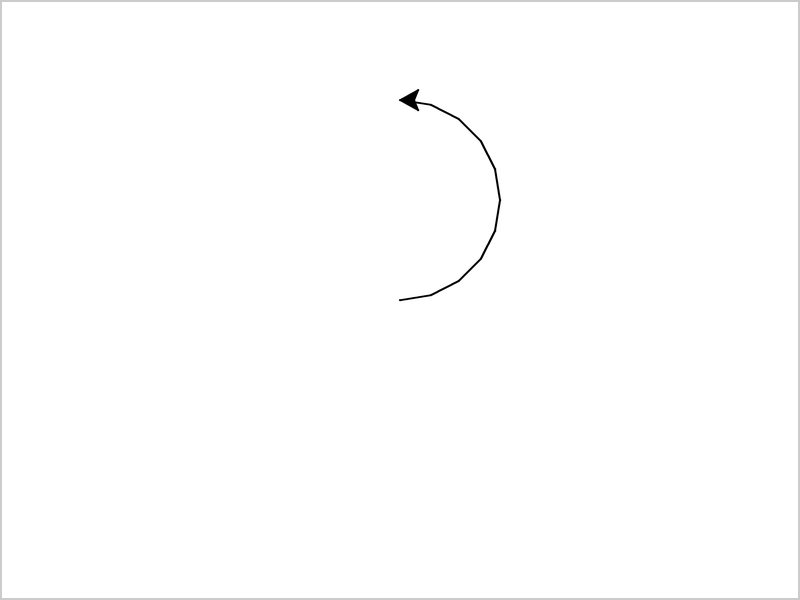
Half a circle, with the turtle arrow at the top, pointing left

Run Example »


Free account

Track your progress

XP earned 0 Day streak 0 Spaces 0 League —

New

Learn in Adventure Mode W3Schools Adventure App

Coding fundamentals as bite-sized lessons and challenges.

×

Contact Sales

If you want to use W3Schools services as an educational institution, team or enterprise, send us an e-mail:
sales@w3schools.com

Report Error

If you want to report an error, or if you want to make a suggestion, send us an e-mail:
help@w3schools.com

W3Schools is optimized for learning and training. Examples might be simplified to improve reading and learning. Tutorials, references, and examples are constantly reviewed to avoid errors, but we cannot warrant full correctness of all content. While using W3Schools, you agree to have read and accepted our terms of use, cookies and privacy policy.

Copyright 1999-2026 by W3Schools. All Rights Reserved. W3Schools is Powered by W3.CSS.



